CuroRPA

Enterprise drone compliance.
Always audit-ready.

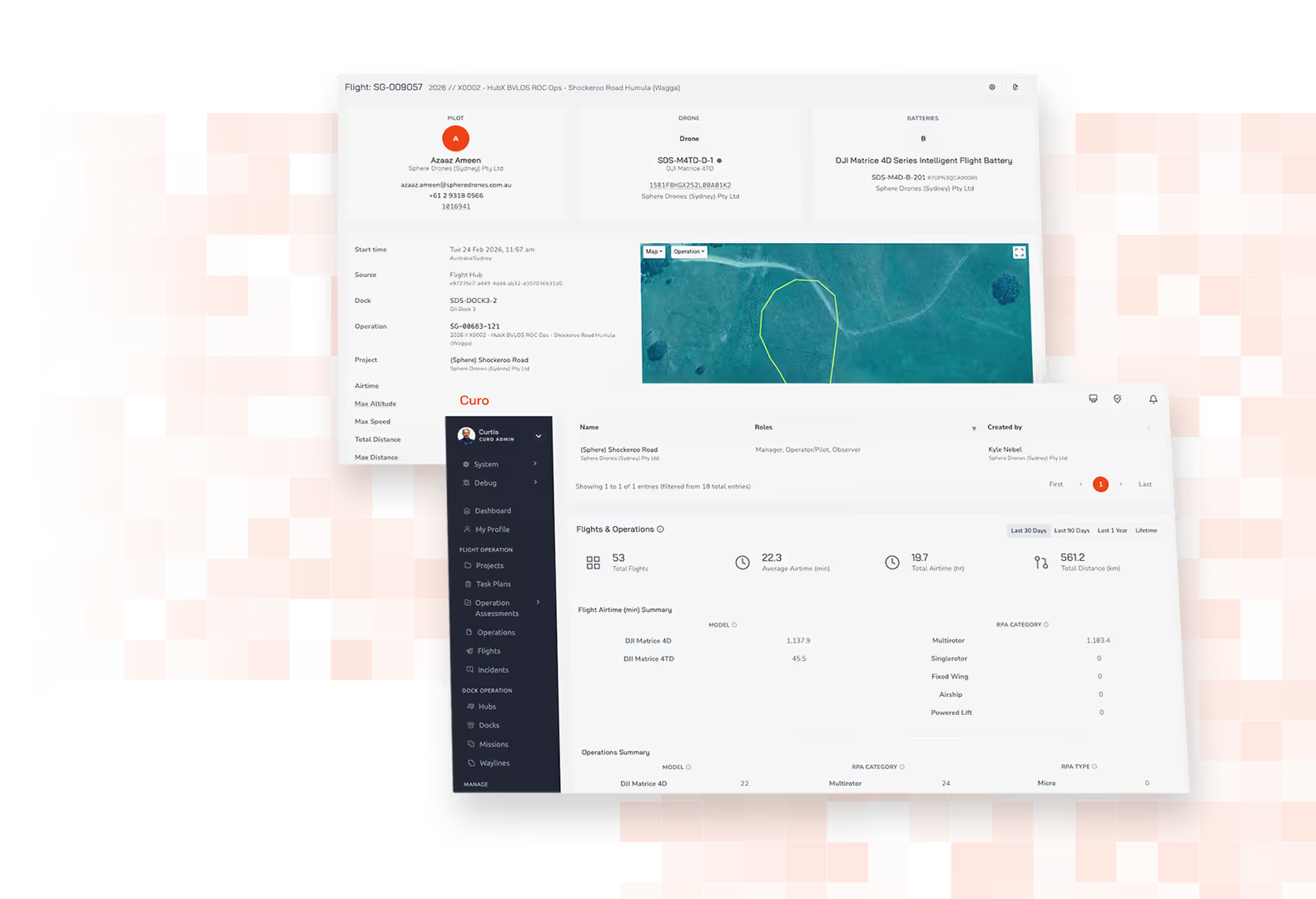
Two overlapping screenshots of a drone flight operations dashboard showing flight details, pilot and drone information, a flight path map, and operational statistics like total flights, average airtime, and total distance flown.

Everything you need to run compliant drone operations.

Compliance icon

Always audit-ready,
automatically

Every flight is automatically linked to the relevant pilot, asset, battery and approval. A complete, consistent record without manual data entry.
Orange outlined web browser window with a speech bubble containing horizontal lines connected to a central flower-like icon inside the window.

One platform,
one source of truth

Pilots, assets, approvals, flight records and procedures, all linked together in one intelligent system. No more reconciling spreadsheets, emails and disconnected tools.

Icon of four connected red-orange puzzle pieces forming a square shape with a slight shadow.

The governance foundation
of the Curo suite

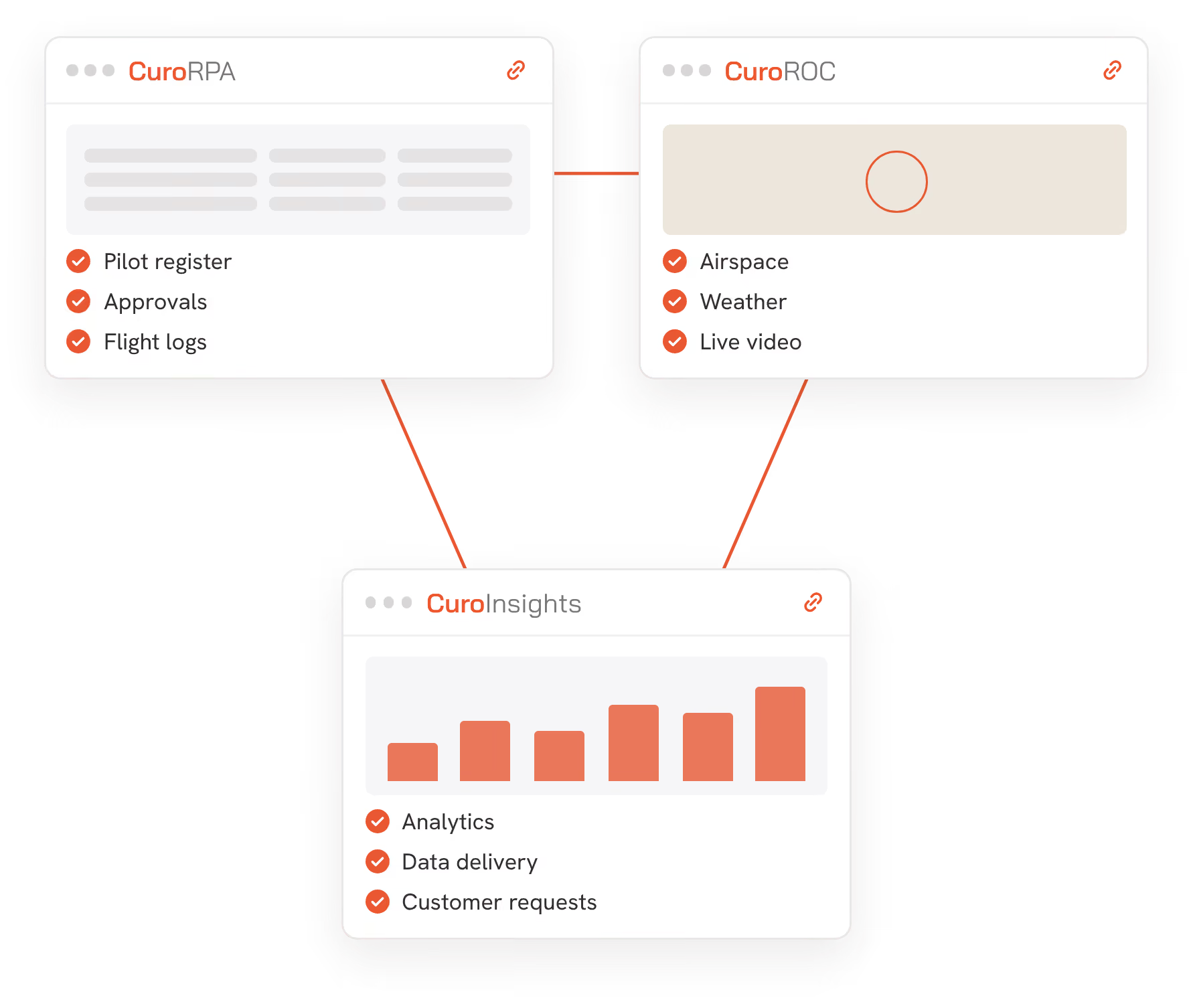
Compliance records flow from CuroRPA into CuroROC for live operations and CuroInsights for data delivery. One record, end-to-end.

Adaptable Any Site icon

Proven at enterprise scale

Built for enterprise drone programs managing multiple pilots, assets and sites across Australian operations.

Icon of an identification card outlined in orange with a user silhouette on the left and a checkmark in a circle on the top right, symbolising credential verification.

Built in credential enforcement

Pilots cannot be assigned to operations they aren't credentialled for. The system enforces it, so you don't have to.

Orange icon of a wrench crossed with a gear, symbolizing maintenance or technical support.

Built for Australian CASA compliance

Native RPAS Drone Safety App integration and ReOC frameworks, built in from the ground up.
Download brochure
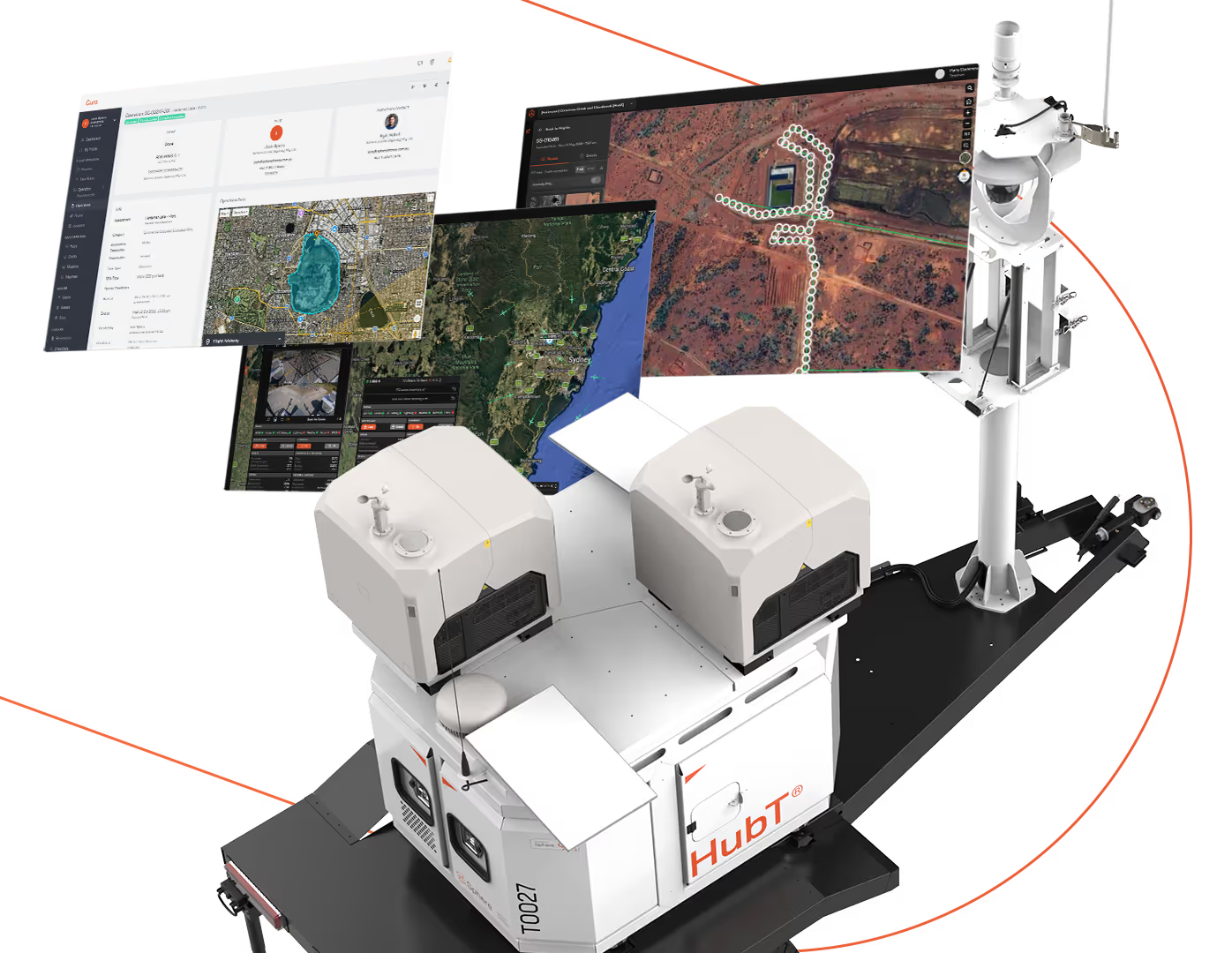
White autonomous robotic device labeled 'HubT' on a black base, equipped with twin cameras or sensors on top, shown alongside three floating digital screens displaying satellite maps, geographic data, and monitoring interfaces connected by an orange dotted line.

The compliance layer of a complete Curo ecosystem.

CuroRPA handles the governance layer. CuroROC handles live operations. CuroInsights with CuroAI handles data delivery, processing and detection. Together with HubX and HubT, they form a complete remote data capture solution.

Hardware and software designed and engineered in Australia by the Sphere team, built to work as one.

Man wearing a safety helmet and yellow reflective vest operating a drone controller outdoors near a tall observation tower with clear sky background.

Designed to remove the administrative burden of running a compliant drone program.

Every flight, pilot, asset and approval is automatically linked into one traceable record, so compliance is always current, audit-ready and never dependent on someone remembering to update a spreadsheet.
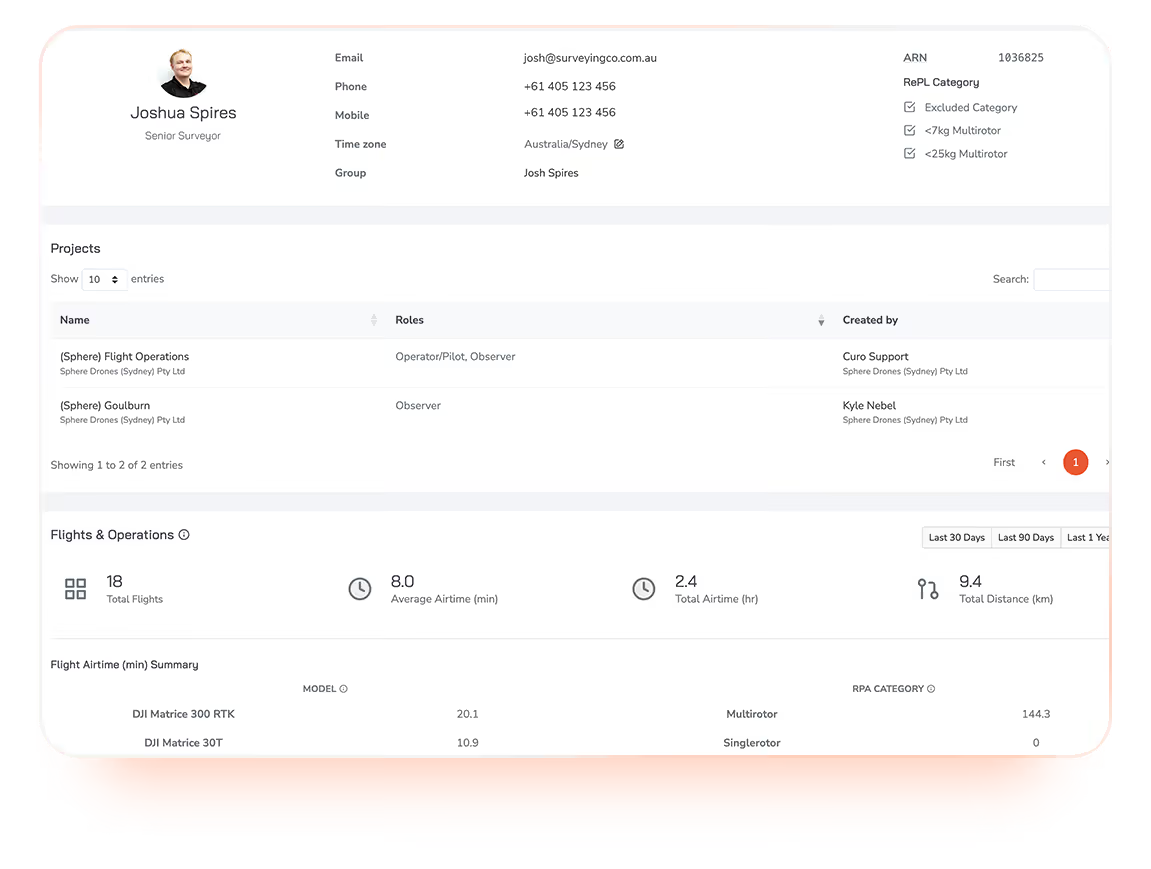
User profile overview for Joshua Spires, Senior Surveyor, showing contact details, ARN, RePL category exclusions, and projects with roles such as Operator/Pilot and Observer for Sphere Drones Pty Ltd. Flight and operations summary lists 18 total flights, 8.0 minutes average airtime, 2.4 hours total airtime, and 9.4 km total distance, broken down by drone models DJI Matrice 300 RTK and Matrice 30T with flight times and RPA categories Multirotor and Single rotor.

Pilot management with credential enforcement

Every pilot has a profile capturing their accreditations, endorsements and credentials.

CuroRPA enforces these at the scheduling and approval level, so pilots cannot be assigned to operations they aren't approved for.

Asset management linked to every flight

All drones, payload, batteries and accessories are tracked in CuroRPA along side registration, maintenance, ownership and full service history.

Asset records link automatically to approvals and flight records, with asset-type constraints enforced.
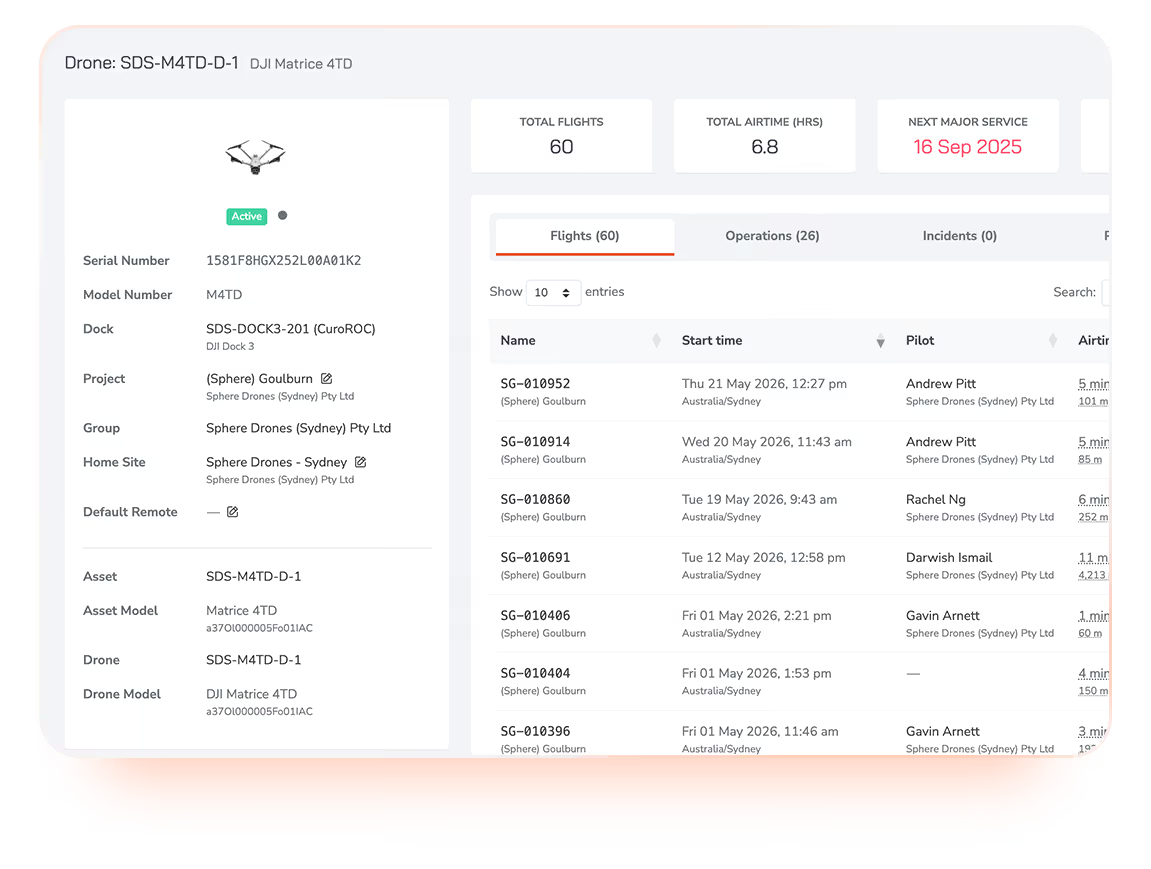
Dashboard interface for drone SDS-M4TD-D-1 DJI Matrice 4TD showing drone status as active with serial number, model, dock, project, group, home site, asset details, total flights (60), total airtime (6.8 hours), and next major service due on 16 Sep 2025. A table lists flight details including flight names, start times, pilots, and airtime for each flight.
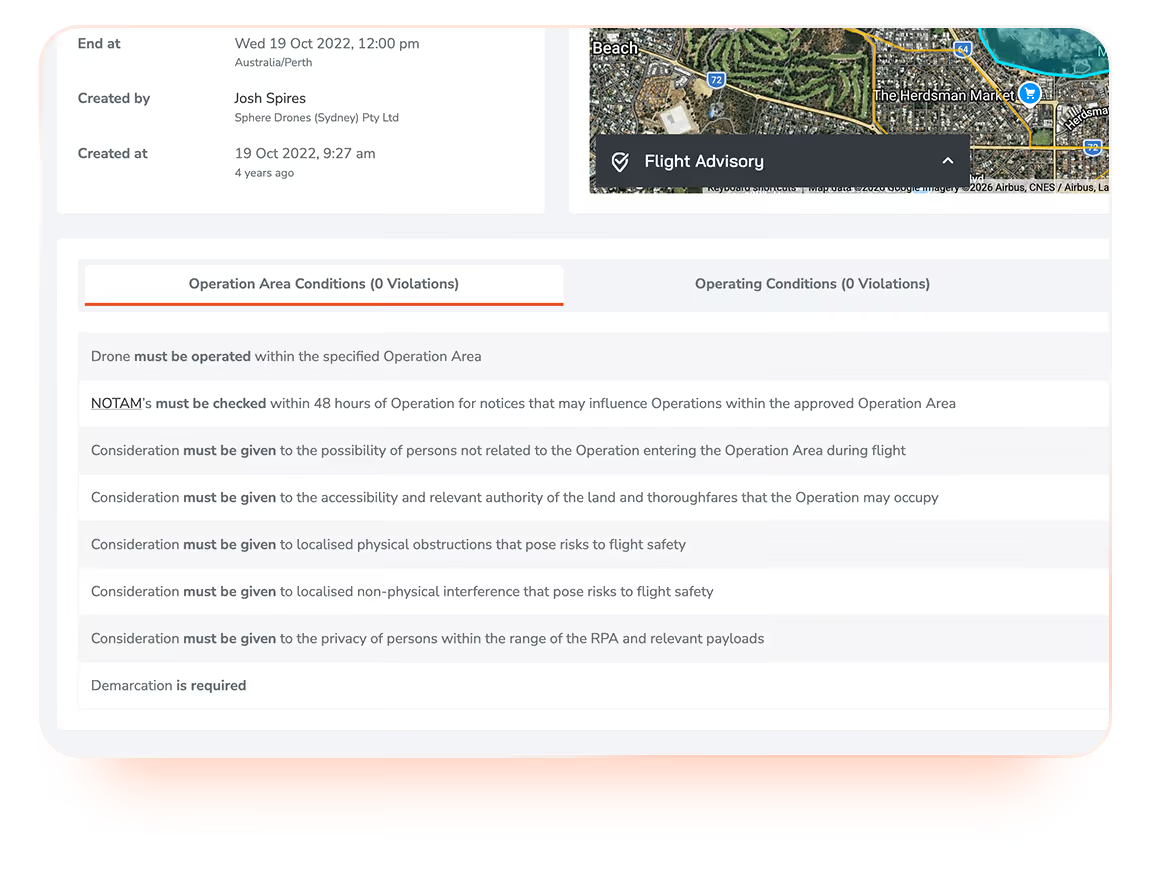
Screenshot showing a flight advisory interface with details including end time (Wed 19 Oct 2022, 12:00 pm, Australia/Perth), created by Josh Spires of Sphere Drones (Sydney) Pty Ltd on 19 Oct 2022, 9:27 am. The interface has two tabs: Operation Area Conditions (0 Violations) and Operating Conditions (0 Violations). Under Operation Area Conditions, instructions include: drone must be operated within the specified operation area; NOTAMs must be checked within 48 hours for relevant notices; considerations on persons entering the area, accessibility, physical and non-physical obstructions, privacy, and demarcation requirements for safety.

Flight approvals with automatic linking

Manage and record pre-flight approvals with automatic linking to the assigned pilot, asset and airspace advisory data.

Credential and asset-type constraints are enforced at the point of creation, giving you a complete, traceable approval chain for every flight, ready for an audit at any time.

Automated flight record keeping

Flights are automatically captured and recorded in CuroRPA, linked to the relevant pilot, drone, battery, mission parameters and any procedures completed.

The result is a comprehensive, consistent flight log that is always audit-ready, without manual data entry or pilot spreadsheets.
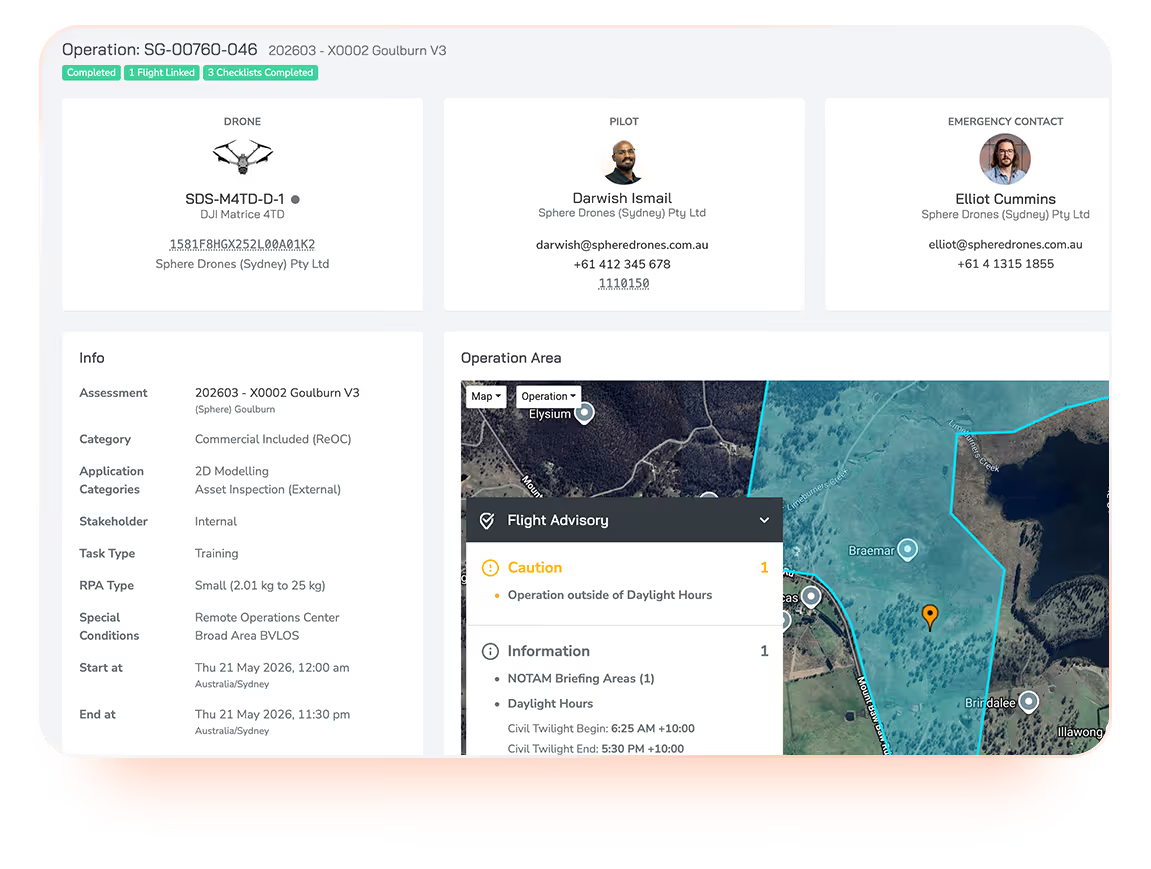
Drone operation dashboard showing details for operation SG-00760-046 at location X0002 Goulburn V3 with a drone model SDS-M4TD-D-1 DJI Matrice 4TD, pilot Darwish Ismail, and emergency contact Elliot Cummins. Operation Info includes assessment ID, category as commercial ReOC, application as 2D modelling and asset inspection, stakeholder as internal, task type training, and RPA type small (2.01 to 25 kg). Special conditions list remote operations with broad area BVLOS. Operation start and end times are Thu 21 May 2026 from 12:00 am to 11:30 pm Australia/Sydney. Flight advisory notes caution for operation outside daylight hours and information about NOTAM briefing areas and daylight hours including civil twilight timings. A map shows the operation area with markers and boundaries.
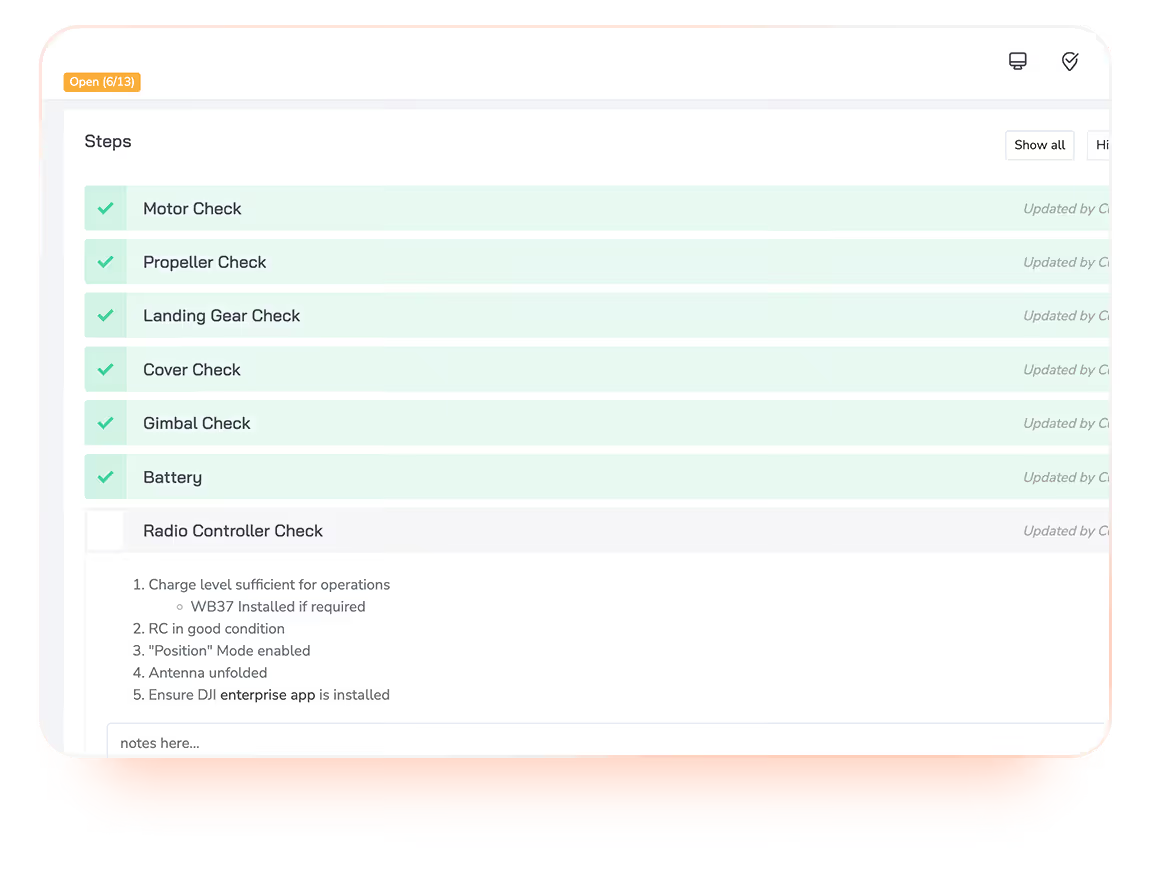
Checklist interface showing steps for drone pre-flight checks: motor, propeller, landing gear, cover, gimbal, and battery checks marked complete with green checkmarks; radio controller check incomplete with detailed sub-items including charge level, RC condition, mode, antenna, and app installation notes.

Digital procedures and checklists

Run pre-flight, post-flight, maintenance, special procedures, or any checklist you define.

Procedures are linked in context to the relevant flight or asset record, so completion is timestamped, traceable and always accessible alongside the full operational record.

Person wearing an orange safety jacket and black cap kneeling on grass, operating a drone placed on an orange landing pad.

Compliance work, done by the platform.

CuroRPA is built specifically for Australian operators. CASA airspace advisory, ReOC frameworks and RPAS Drone Safety App approval are included as standard.

Man wearing glasses and a headset with a microphone, seated at a desk working on a computer with a laptop and a monitor in front of him.

CASA-aligned Drone Safety App

CuroRPA is listed on Civil Aviation Safety Authority's (CASA) RPAS Platform Drone Safety App register. Airspace data is sourced directly from Airservices Australia and other official providers, not generic third-party dataset.
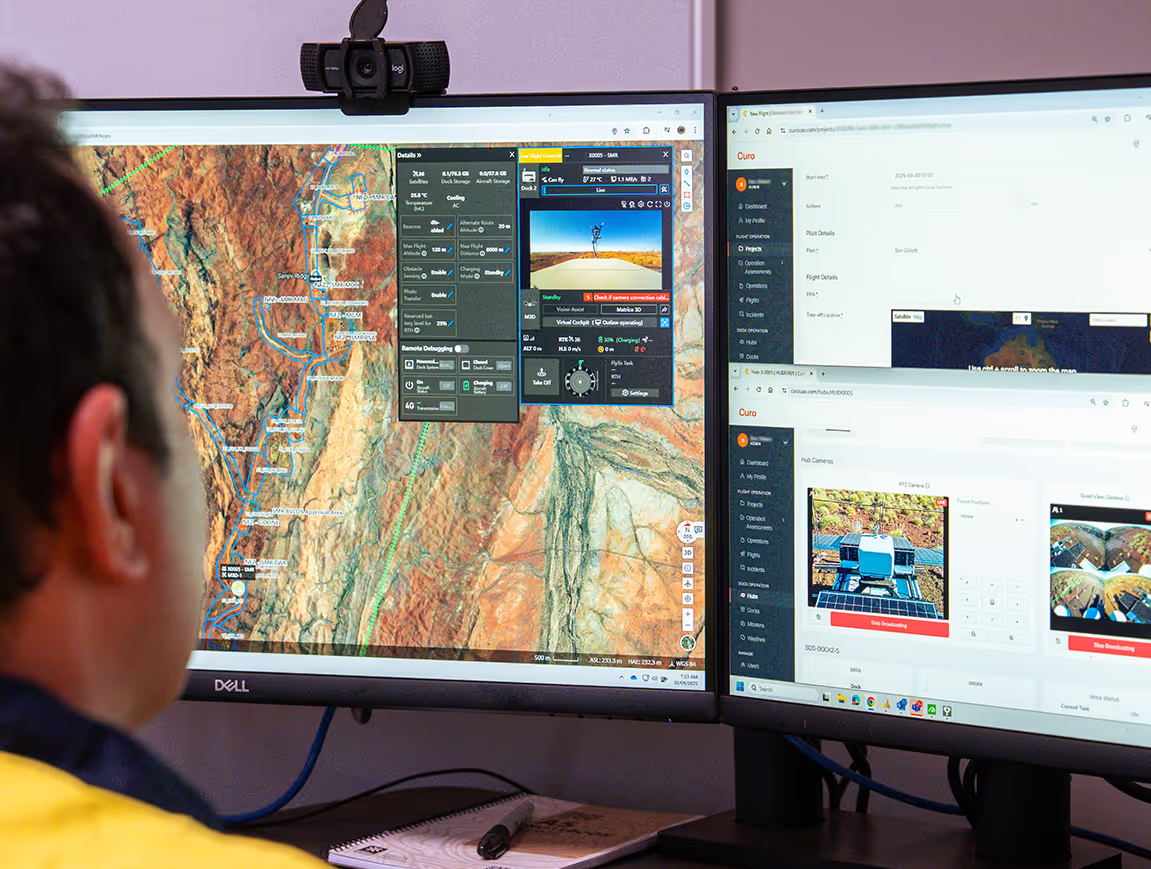
Person viewing two computer monitors displaying mapping software, drone flight data, and camera controls over a detailed terrain map with marked routes.

ReOC and AROC framework support

Built around Australia's CASA requirements. Approvals, procedures and pilot credentials are captured and linked in a way that should make audits fast and straightforward, so you spend less time reformatting records and more time flying.

A man in a light pink shirt and a woman with long red hair and patterned clothing are looking at a computer screen together in an office.

Audit-ready records, by default

There is no separate 'audit prep' mode in CuroRPA, because every flight, pilot, asset and procedure is linked automatically, your records are continuously audit-ready.

When an audit comes, you don't scramble. You just open the platform.

Map of Australia composed of a dense pattern of evenly spaced orange dots, with occasional colorful overlays in yellow, blue, and pink creating a mosaic effect, and a black background.

Used by Australia's largest enterprise drone operators to manage over 1,100 pilots and fly over 110,000 missions.

The difference is integrated, not improvised or fragmented.

Curo Ecosystem
Diagram showing three interconnected modules labeled CuroRPA with a pencil and user icon, CuroROC with a play and save icon, and CuroInsights with a bar chart icon, illustrating a workflow or ecosystem.

One system, start to finish.

From approval to analytics, everything runs inside a single connected platform. Compliance is enforced automatically. Records link themselves. Your team focuses on the mission, not the admin.

Orange pencil icon inside a light peach circular background.
Plan
Flight approvals, handled in platform

Pilots submit flights and approvals are processed automatically against your operational rules, in line with CASA requirements. All in CuroRPA. No emails, no manual sign-offs.

Simplified orange user profile icon on a light circular background.
Credential
System-enforced pilot and asset gating

Pilots only see what they're qualified to fly in CuroRPA. Asset records and pilot credentials are linked automatically. If something is out of date, the system flags it before it becomes a risk.

Orange play button icon inside a light pink circle background.
EXECUTE
Remote command, control and live video

Flights are commanded and monitored through CuroROC, integrated into the same ecosystem. Operational data flows back into the platform the moment the mission ends.

Orange floppy disk icon on a light circular background, symbolizing saving or storage.
RECORD
Flight records that link themselves

Every flight automatically links to the pilot, aircraft, procedure and approval it belongs to. Your compliance record builds itself, no manual data entry, no gaps.

Four ascending vertical bars in orange inside a pale pink circle, representing a rising bar chart or signal strength indicator.
ANALYSE
Data delivery and analytics

Operational data surfaces directly in CuroInsights with no export or re-entry. Trends, utilisation and compliance metrics are always current, always accessible.

Traditional Approach
Seven floating square icons representing different functions, including a bar chart, pencil, user profile, floppy disk save symbol, play button, user profile, and bar chart again, all on a transparent background.

Pieced together. Held together manually.

Traditional drone compliance management has work spread across email threads, spreadsheets and disconnected tools. Compliance depends on someone remembering to update the right file. Records are reconciled by hand, usually after the fact. Your team spends as much time managing the paperwork as managing the program.

Orange pencil icon inside a light peach circular background.
Plan
Approvals over email, approved on good faith

Flight requests are submitted manually, usually via email or a form. Approval depends on someone being available and informed. Rules are assumed instead of being enforced.

Simplified orange user profile icon on a light circular background.
Credential
Pilot and asset records in separate spreadsheets

Qualifications and maintenance logs are tracked manually, often by different people in different files. Keeping them current is a task in itself, and they're rarely in sync.

Orange play button icon inside a light pink circle background.
EXECUTE
Separate tools for flight control and compliance

Execution software and compliance records exist in different systems with no connection between them. What happens in the field has to be manually reconciled with what's on paper.

Orange floppy disk icon on a light circular background, symbolizing saving or storage.
RECORD
Manual flight logs, filled in after the fact

Flight logs are filled out by hand, or manually uploaded at the office. The quality of your compliance record depends entirely on the discipline of whoever is holding the pen.

Four ascending vertical bars in orange inside a pale pink circle, representing a rising bar chart or signal strength indicator.
ANALYSE
Analytics built manually, when time allows

Any operational insight requires someone to pull data from multiple sources, clean it, and build a report by hand. By the time it's ready, it's already out of date.

CuroRPA is where safe operations begin.

Compliance isn't just a record-keeping exercise, it's the foundation every flight is built on. CuroRPA manages the governance layer so that when a mission is executed in CuroROC and data is delivered through CuroInsights, every part of the chain is auditable, accurate and traceable back to the source.
Capability CuroRPA CuroROC CuroInsights
Flight approvals
Flight record keeping
Pilot management
Asset management
Procedures & checklists
Remote command & control
Live video streams
3D virtual environment
Mission planning & scheduling
Live ADS-B, airband radio, weather
Customer flight requests
Data delivery
AI analytics delivery
Seamless integration with HubX & HubT
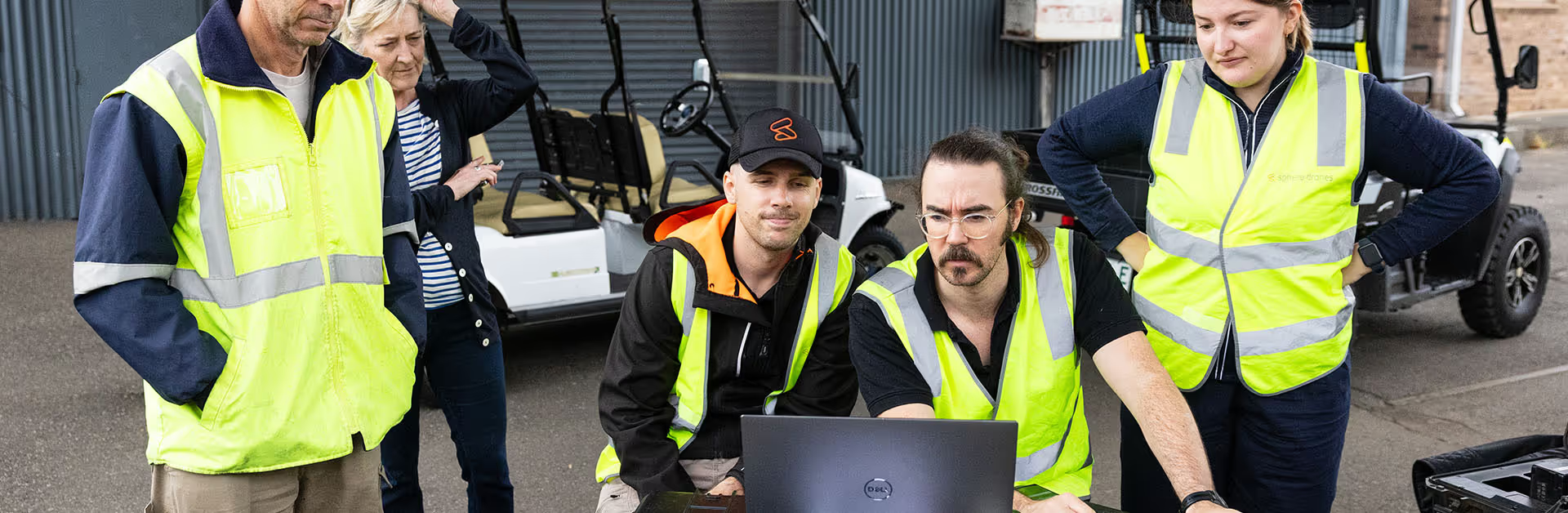
Group of five workers in high-visibility vests gathered around a laptop outdoors, appearing focused and discussing something important.

Easy, hassle free setup.

Our team works closely with yours to migrate your existing program into CuroRPA, configure it to your operating context and have you audit-ready from day one. We work closely with your team to ensure the optimal solution is seamlessly implemented onto your site.

1

We get to know you, your assets, team, sites and needs.

2

We tailor your CuroRPA instance to you, built for the way you operate.

3

We continuously support and improve your drone program as it evolves.

Works with your existing tech

CuroRPA integrates with a range of hardware and software, so it fits seamlessly into your workflow.

CuroRPA works with you

Deploy CuroRPA on the hardware it was built for or with your existing fleet.

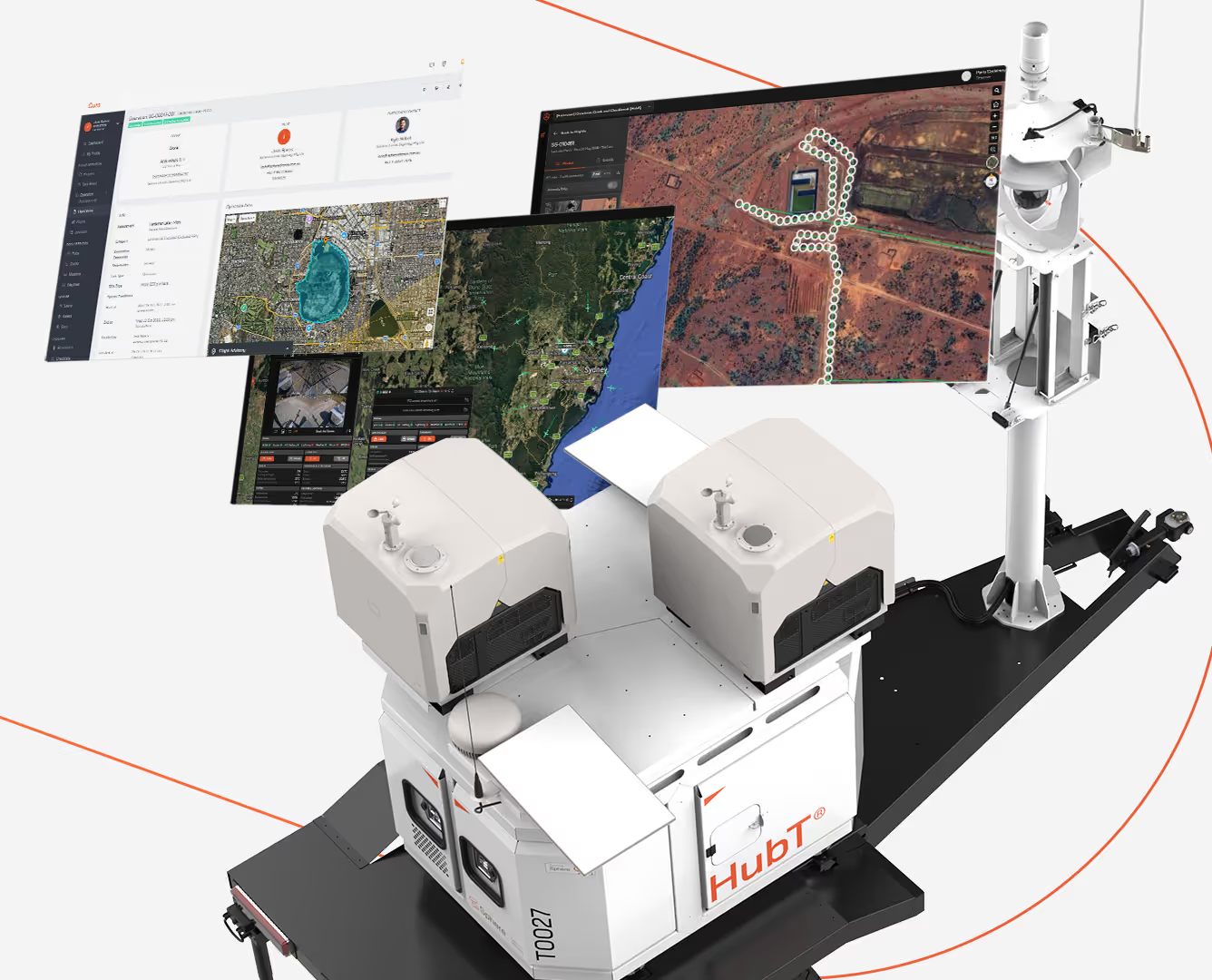
A HubT branded automated mobile unit with sensors and equipment mounted on a platform, displaying three floating digital maps and data screens showing geographic and satellite imagery with routes and measured areas.
The hardware and software, built for each other.

Best suited to operators standing up a new drone program, or those looking to replace a fragmented setup with a single, integrated and purpose-built system.
  • HubX® or HubT® paired with CuroRPA, CuroROC and CuroInsights: Governance, execution and data delivery connected by design
  • Complete drone program ready to operate from day one, no integration work or compatibility questions
  • Scales with your operation without adding tools or complexity
Talk to us about pricing
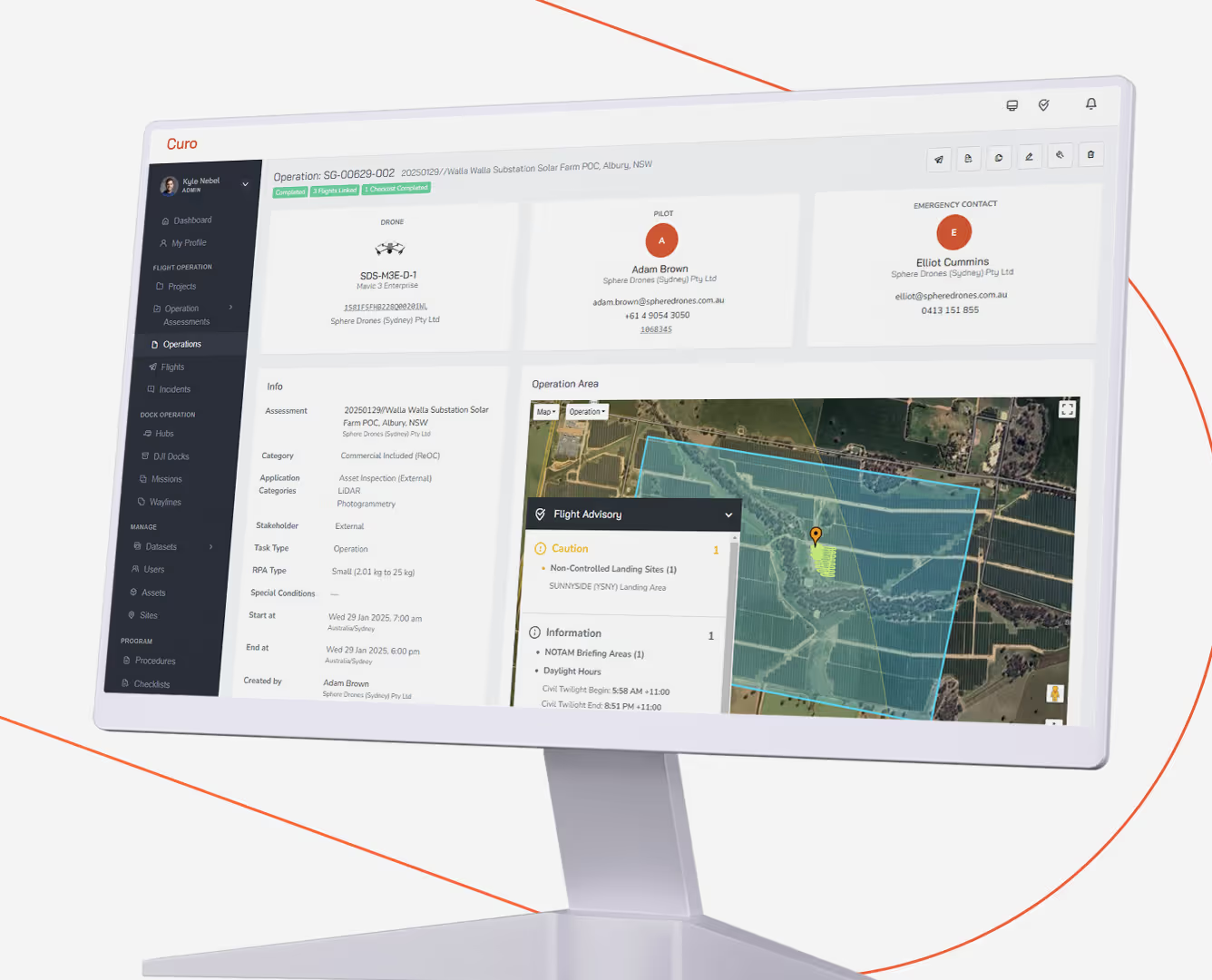
Computer monitor displaying a drone operation management interface with sections for drone details, pilot contact, emergency contact, operation info, and a map showing the operation area with flight advisory details.
Compliance and governance software for your existing drone program.

Best suited to established operators who have their hardware sorted and need their compliance program to catch up.

  • Manages approvals, pilots, assets and records in one platform -without replacing the fleet or infrastructure you already have
  • Unlimited users, pilots and flight records as your program grows
  • Native CASA RPAS Platform integration, with a clear upgrade path to CuroROC and CuroInsights when you're ready
Talk to us about pricing
A HubT branded automated mobile unit with sensors and equipment mounted on a platform, displaying three floating digital maps and data screens showing geographic and satellite imagery with routes and measured areas.
Computer monitor displaying a drone operation management interface with sections for drone details, pilot contact, emergency contact, operation info, and a map showing the operation area with flight advisory details.

FAQs

Does CuroRPA work with our existing business systems?
Is CuroRPA built for Australian regulations specifically?
We're already using AVCRM, FlyFreely or DroneLogBook. Why switch?
Does CuroRPA replace our flight planning and live operations tools?
What happens to our data if we stop using Curo?
Where is CuroRPA hosted?
Who builds and supports CuroRPA?
Is there a minimum program size?
How long does it take to onboard?
Does CuroRPA support BVLOS operations?

Stop managing compliance in spreadsheets.

Get in touch with our team for a walkthrough of CuroRPA, scoped to your drone program.

Related articles

Download brochure

(*Mandatory fields)

Thank you! Your submission has been received!
Oops! Something went wrong while submitting the form.