DJI Dock 4 is here, and the first question we're getting from customers is whether it replaces Dock 3. If you're planning a dock program, or already running Dock 3, it's a fair thing to ask.
It doesn't replace it. The two docks are built around different aircraft and suit different kinds of work, so the right choice comes down to what you need the drone doing on your site day to day.
Below we put them side by side and look at what's new in Dock 4, then walk through which one suits which type of operation. If you'd rather talk it through with someone who has deployed both, get in touch with our team.
Dock 3 charges the aircraft's battery in place between flights, so the drone waits on the pad before it can fly again.
Dock 4 swaps the battery instead. A robotic arm takes the flat battery out and puts a charged one in, so the aircraft is ready to fly again in about 45 seconds. While that's happening, the dock offloads up to 2 GB of footage at up to 80 MB/s, so your data arrives without holding up the next mission.
In practice, that means one Dock 4 can run back-to-back missions on a single aircraft, which matters when you're covering a large site, running regular patrols, or responding to an incident that doesn't wait for a battery to charge. DJI put the swap mechanism through one million swap cycles in reliability testing across 300 docks.
The Matrice 5TD carries four cameras: wide, 3x and 11x zoom, plus a 1280×1024 thermal camera. That's double the native thermal resolution of the Matrice 4TD on Dock 3. DJI says the 11x camera can read a number plate from 400 m away and pick out a screw from 100 m, so you can inspect from a safer distance and see faults sooner.
Dock 4 also builds a panorama 2.4x faster than Dock 3, which helps when you need a quick overview of a site or an incident as soon as the drone arrives.
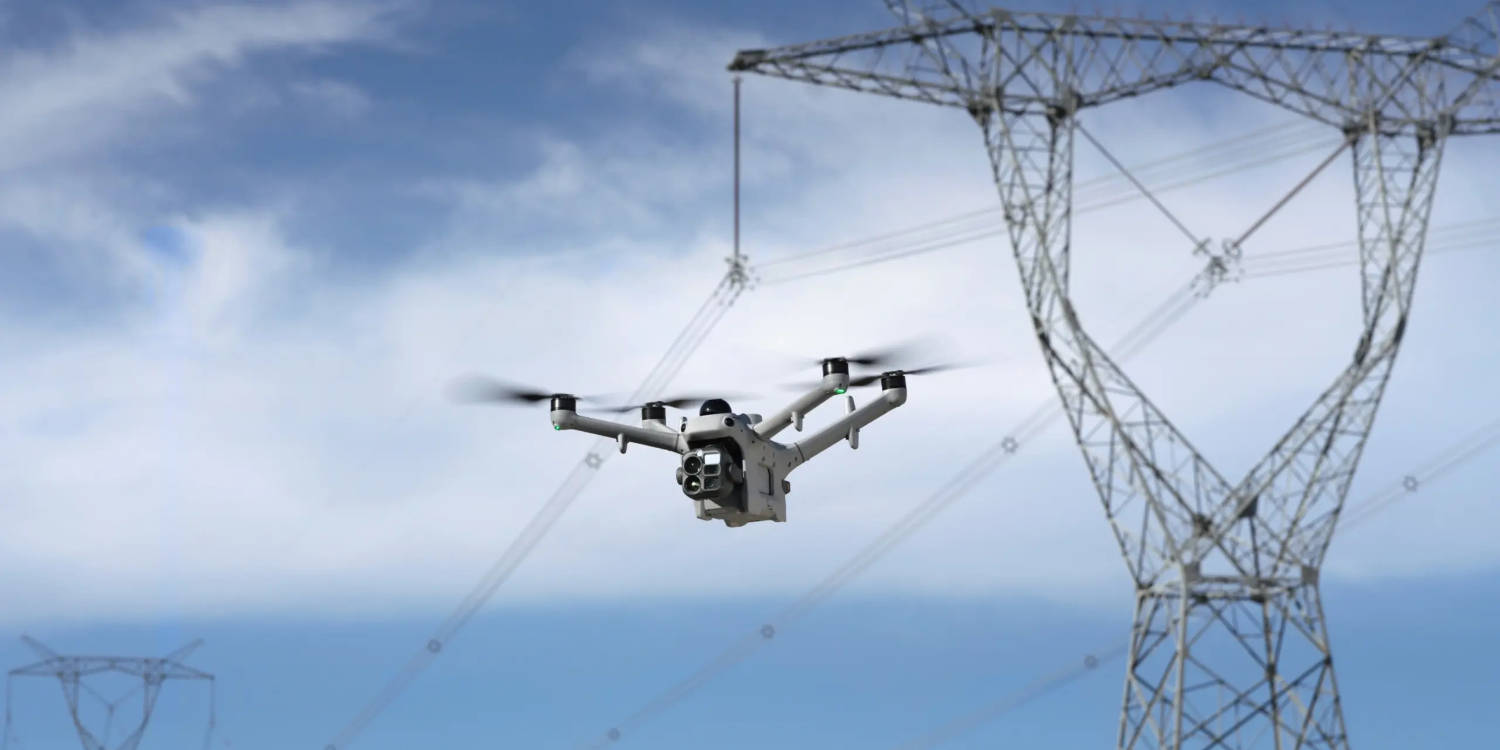
An upgraded sensor on the 11x camera improves full-colour night vision, and a near-infrared illuminator helps when there's no light at all. Add the spotlight and speaker, and Dock 4 is well set up for overnight security and search and rescue.
With DJI's O4 Ground Station, Dock 4 can reach up to 40 km, and the built-in dual 4G gives you a backup link. For large mine sites, utility corridors and remote assets, that means fewer docks to cover the same ground. How far you can actually fly in Australia depends on your CASA approvals, not just the hardware.
Every Matrice 5TD has an independent flight termination system built into the airframe, and an optional parachute is available. These don't give you approval to fly beyond visual line of sight on their own, but they give your operator a stronger case to put to CASA. Note that the flight termination system needs a 4G SIM.
Dock 4 runs on DJI FlightHub 2, with onboard AI that can detect people, vehicles, smoke, fire and livestock during a flight. For organisations with strict data rules, FlightHub 2 can now be deployed on your own servers instead of the cloud.
Already running Dock 3? It doesn't become obsolete. Many sites will run both, with Dock 3 handling mapping and Dock 4 covering inspection and response.
Buying the dock is the easy part. To fly it remotely in Australia you'll need a Remotely Piloted Aircraft Operator's Certificate (ReOC), trained remote pilots, and the right CASA approvals for automated and beyond visual line of sight flying. You'll also need a suitable install site with power, connectivity and a clear take-off area.
That's where we come in. Sphere helps with the full setup, from site assessment and installation to training, approvals support and ongoing service. If you'd rather not run the program yourself, our managed Hubs and Curo platform can take care of it for you.
Not sure which dock fits your site? See the full DJI Dock 4 and DJI Dock 3 pages, call our team on 1800 119 111 or email info@spheredrones.com.au.